The whole edit,
on your phone.
Record on your iPhone, finish on your iPhone. BRoll King cuts the silences, the blown takes and the asides, plans B-roll around your transcript, zooms in on the moments that matter, styles your captions and renders the final video on the device — no desktop editor in the loop.
Coming soon Coming to the App Store
One email at launch. Nothing else.
A tour of the app
Screens from the app, filled with a sample project (the presenter in the sample video is AI-generated). You approve every step before anything is cut, generated or rendered.
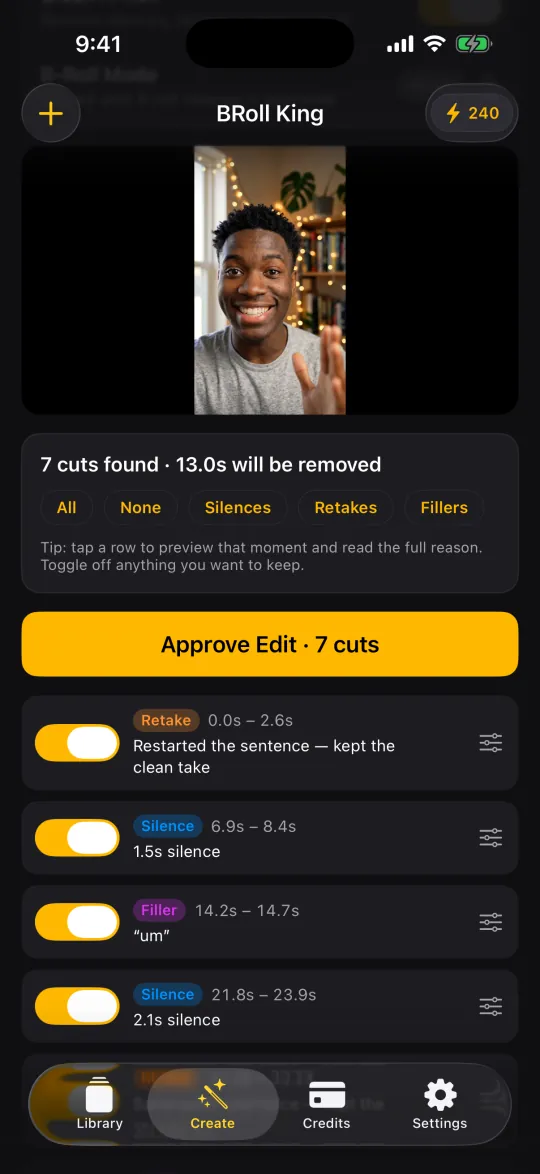
Every cut, with the reason for it
Silence is measured on your phone the moment you pick a video. The transcript adds the filler words, the sentences you restarted, the lines you said twice and the off-script asides. Tap a row to preview that moment; switch off anything you want to keep; fine-tune the rest on the timeline.
- Four retake levels — Balanced, the default, keeps your later take and leaves lines that only sound alike
- AI retake review catches reworded retakes (3 credits a minute, 10 minimum, on by default)
- Your original recording is never changed
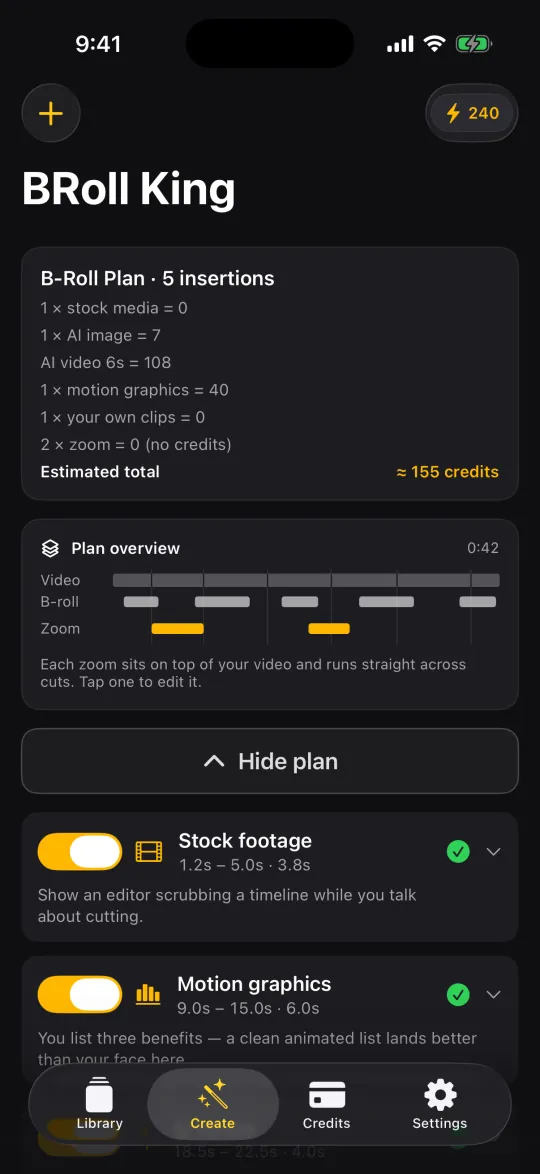
A plan from your words — cost first
The transcript drives a plan of what to show, when and why: stock photos and footage, AI images, AI video, animated motion graphics or your own clips. The first thing you see is what it will cost, and a strip that lines up your video, the B-roll and the zooms.
- Stock photos cost 5 credits and stock clips 10, with an AI fit check that picks the best match — if nothing fits, nothing is charged
- Zooms push in on your face at key moments — one smooth move, even across cuts, and free
- Preview any zoom before you render, or switch zooms off
- Revise the whole plan with a note (10 credits)
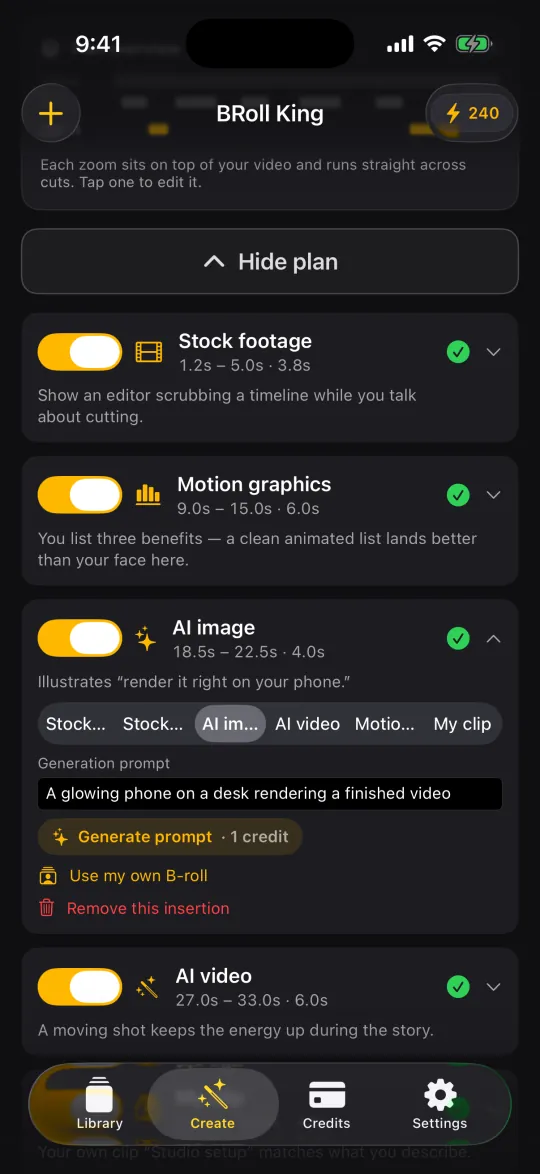
Swap the source, rewrite the prompt
Every insert can be switched to another kind of B-roll, re-prompted by hand, or removed. Changed the source? Generate prompt writes a fresh prompt or stock search term for that exact moment (1 credit) — tap it again for another take. Or drop in a clip of your own.
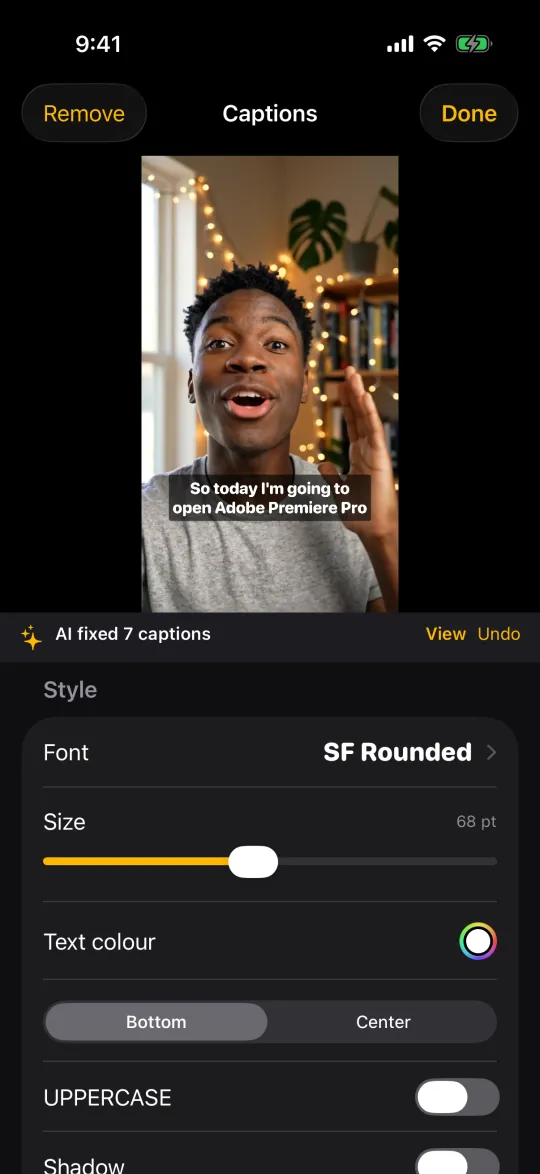
Captions that get the names right
Captions are built from the word timings. The AI caption review fixes misheard names, brands and terms plus punctuation — without rewriting what you said or moving the timing — and every change can be viewed and undone.
- 29 fonts in five styles: sans, display, serif, handwriting and mono
- Text colour, background box, shadow (opacity, blur, distance), outline, position and all caps
- 18 animated styles — Word box (default), Highlight, Karaoke, Pop and more — previewed live on your video (10 credits per video; plain captions cost nothing extra)
- Long captions wrap onto more lines but never cover more than 45% of the frame
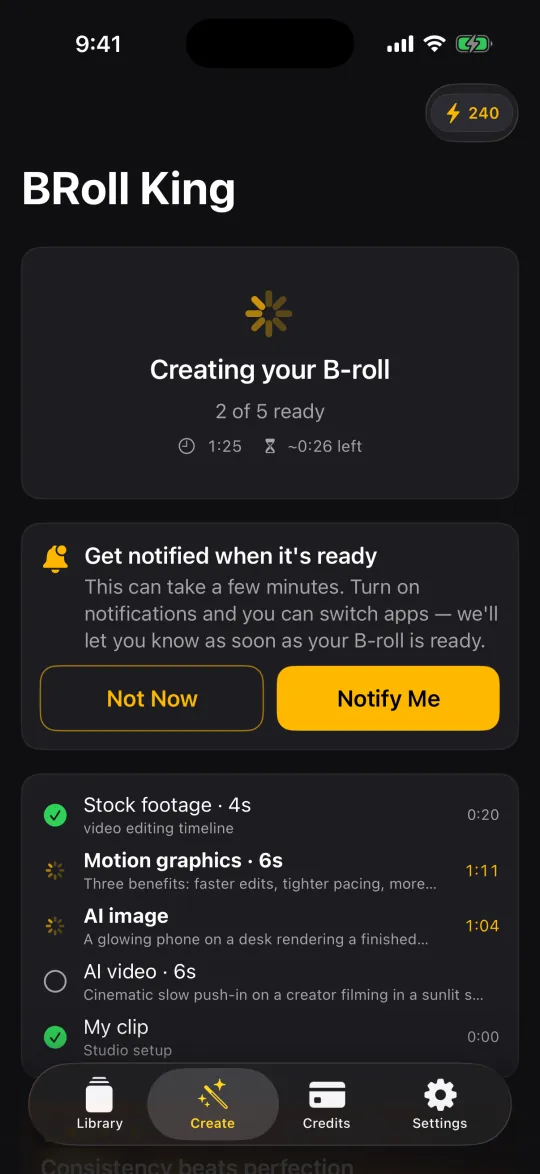
Walk away while your B-roll is made
AI video and motion graphics can take a few minutes each. Switch to another app and BRoll King can notify you when your B-roll is ready. Then everything is composited on the phone — keep the app open for this last step — and your video is ready to save to Photos or share.
- Exported at your video's own resolution and frame rate
- Items that couldn't be made? You choose: retry, change them, or continue without them
- Rendering needs the app open (the screen won't lock); if you leave, the render stops and has to start over
- Notifications are optional; force-quitting the app from the app switcher stops them
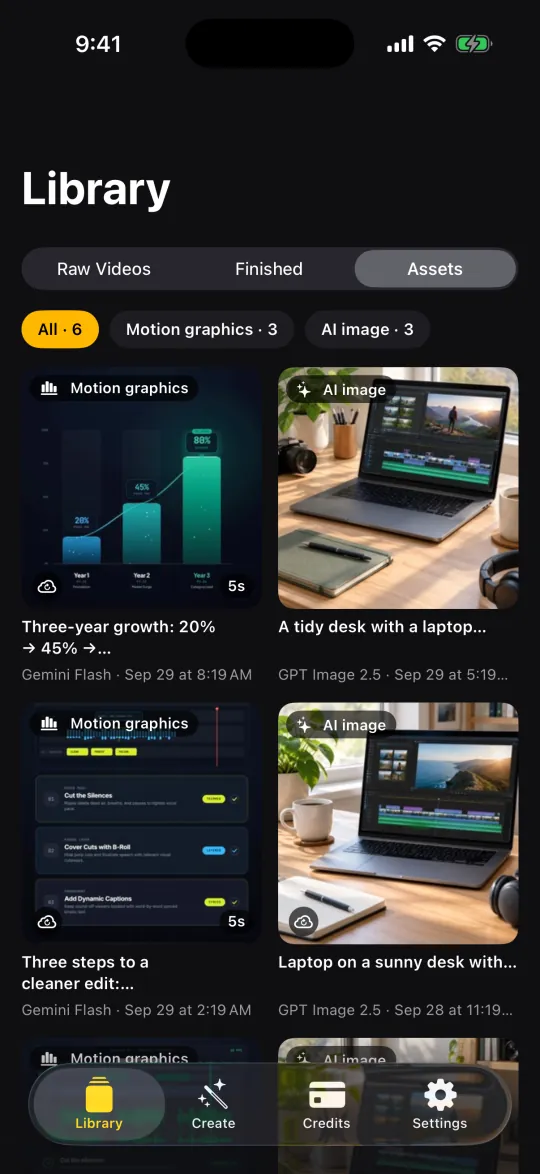
Every AI clip is kept
Every AI image, AI video and motion graphic you generate is kept on your iPhone. When a later edit asks for the same clip it's reused at no charge, and you can pick any asset by hand as B-roll. If an edit stops half-way, clips you already paid for in the last 3 days come back from your account on their own.
Built for the phone
On-device silence scan
Loudness analysis runs locally on your iPhone. No upload, no waiting on a server to tell you where the dead air is.
Renders on device
Cuts, B-roll, zooms and captions are composited on the phone, with soft dissolves and audio crossfades at the cuts, and saved to Photos or shared straight out.
Face-aware zooms
Face detection runs on the device, so zooms land on you rather than the middle of the frame. Nothing about your face leaves the phone.
One account, any iPhone
Sign in with Apple, Google or email. Your plan and credit balance live on the account, so they follow you to a new phone.
250 free credits
Every new account gets 250 free credits for your first 30 days, no card needed; then a plan. Plans from $19/month include the whole app plus monthly credits for transcription and AI generation.
Your footage stays yours
The full-resolution video is never uploaded. Only extracted audio goes up for transcription, and it is deleted as soon as the job finishes.
Requirements
- DeviceiPhone 11 or newer recommended (iPhone XS / XR and later can install it)
- SystemiOS 17 or later
- AccountSign in with Apple, Google or email
- PriceFree to download at launch; 250 free credits for your first 30 days, no card needed; then a plan from $19/month
- InternetNeeded for transcription, B-roll generation and animated captions
- LanguagesTranscribes videos in 90+ languages, detected automatically (details); the app's interface is available in 12 languages: English, Spanish, Portuguese (Brazil), French, German, Turkish, Indonesian, Chinese (Simplified), Japanese, Korean, Arabic, Russian
Plans — Starter (750 credits a month), Pro (1,600) and Power (4,000), billed monthly or yearly — are auto-renewing subscriptions bought inside the app and billed by Apple. They renew automatically until you cancel in Settings → [your name] → Subscriptions. Monthly credits reset each period; extra credit packs (for paying subscribers) never expire. Prices and the full credit table are on the pricing section of the home page; see also the terms.
Support
A person reads every message, usually within two business days.
Email us
Write to support@brollking.com with your device model, iOS version and what you were doing when it went wrong.
Help and troubleshooting
Import problems, failed transcripts, missing credits, notifications and account deletion are covered on the support page.
Privacy and terms
Read what is collected in the privacy policy, and the rules of use in the terms of use.
Deleting your account is done inside the app — Settings → Delete Account, or Account → Delete Account on the plans screen — and removes your profile and credit history from our servers permanently. It does not cancel an App Store subscription; cancel that first in Settings → [your name] → Subscriptions.
There's a web version coming too
Same pipeline, in the browser, for footage shot on a real camera.